A warm welcome to you!
Are you ready to take your AI skills to the next level? Using Generative AI, you can create WordPress posts, images, chatbots and forms that will impress your clients and friends. In this short course, we will explore how to master Generative AI and create amazing content that will help you stand out from the crowd.
Generative AI is a powerful tool that can create high-quality content with minimal effort. Imagine being able to generate multiple variations of WordPress posts, images, and chatbots in minutes. With Generative AI, you can do just that. By prompting your AI model with the right information, you can produce content that is unique and engaging.
It may or may not surprise you to discover that the two paragraphs above were written using generative AI!
Below you can see the WordPress plugin ‘AI Engine’ used in this course generating them! We asked (‘prompted’) the AI model for a ‘Concise introduction to a short online course introducing how to use generative AI to create WordPress posts, images and AI-driven chatbots’:
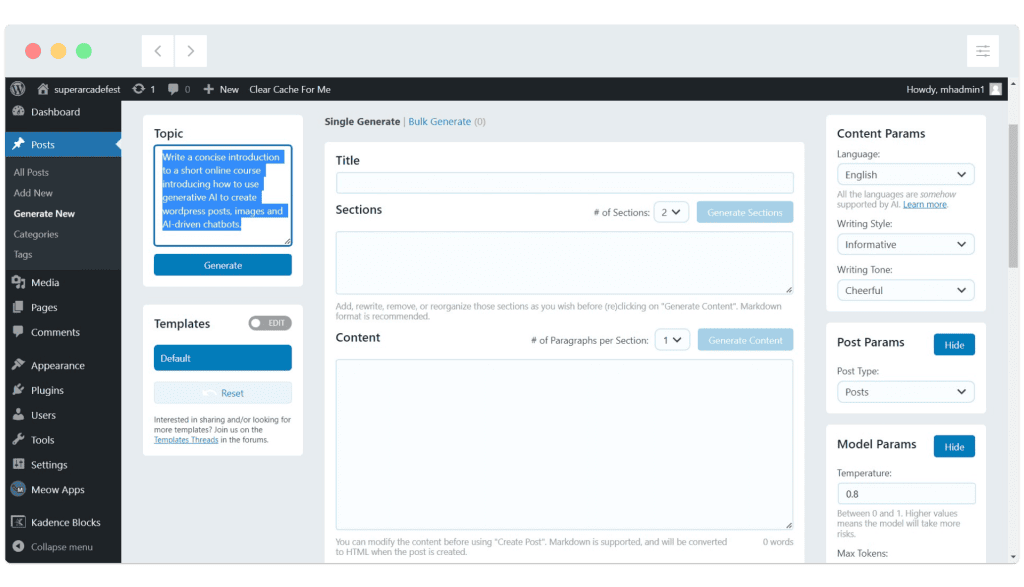
Here’s the text returned by the AI, which we’ve lightly edited and used above:
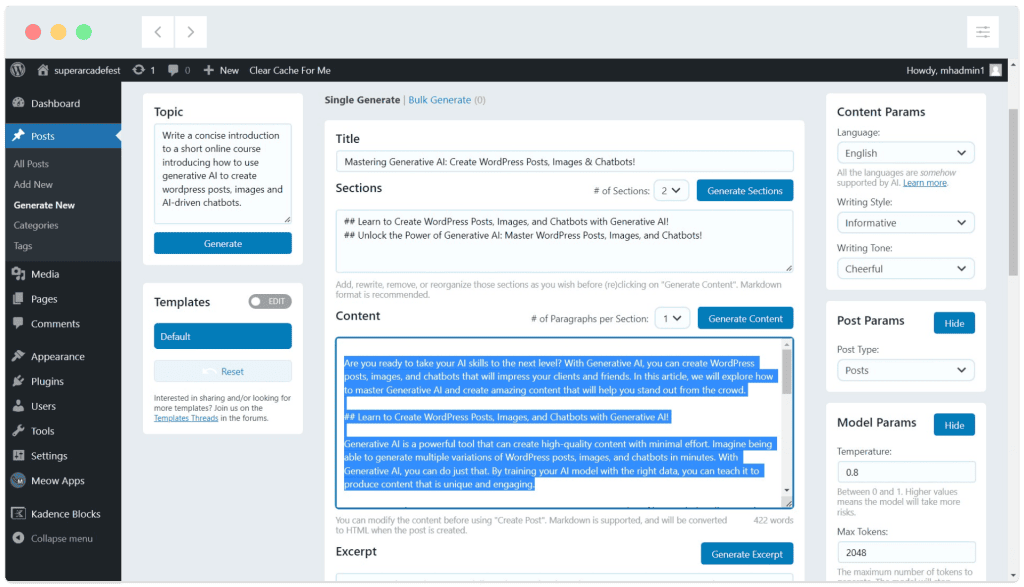
Feeling happy yet?

AI Engine can also help to create images, right inside of WordPress!
We prompted for ‘A smiling, shiny metal robot with big friendly eyes in a 1960s blocky style with a sunburst background’ and this is our favourite from the images returned.
Generated images can be used inside WordPress or downloaded to use anywhere you like!
And what about chatbots?
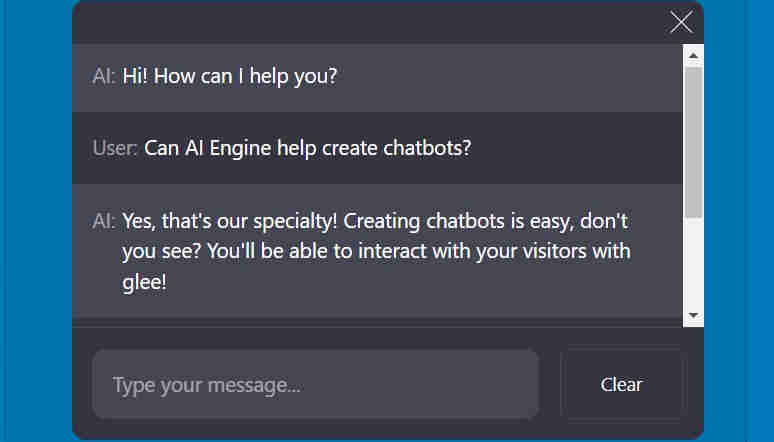
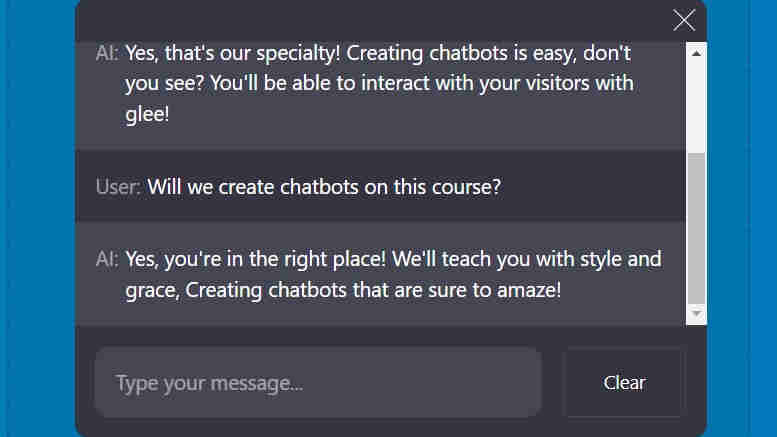
AI Engine is going to help us create and customise chatbots and add them to pages. If you’re wondering why the chatbot above responds in rhyme, it’s because we asked it to!
“Converse as if you were an AI assistant. Be friendly, creative. Reply in short rhymes”
In the next topic we’ll overview key points about the course so you can be sure it’s right for you. It’s up to you if you want to mark this topic as complete below – Once you’ve marked every topic in the course complete your PDF course certificate (which looks similar to the example below) will automatically be made available. Cool!