Introduction (01_PPRFR_23)
When you create a new video project in Premiere Pro, you’re presented with a start-up screen similar to this:
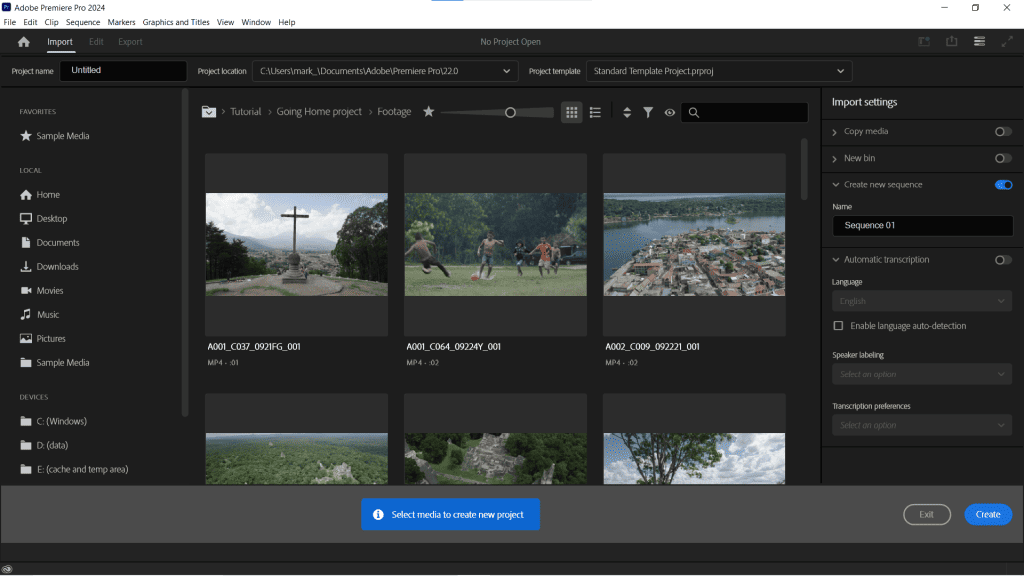
Unlike most video software, Premiere Pro doesn’t ask you to make lots of decisions about a video project before you start. Instead, it suggests you select your video clips first. Note you do not have to select any clips – You can just click the Create button to get started with a new project. We’ll walk through this process in the explainer in the next lesson.
Suggested reading: Learn more about these basic video settings